How to Control Capacity in an Unstaffed Gym
Learn how to control capacity in an unstaffed gym using automated access control and real-time software. Optimize your facility management today.
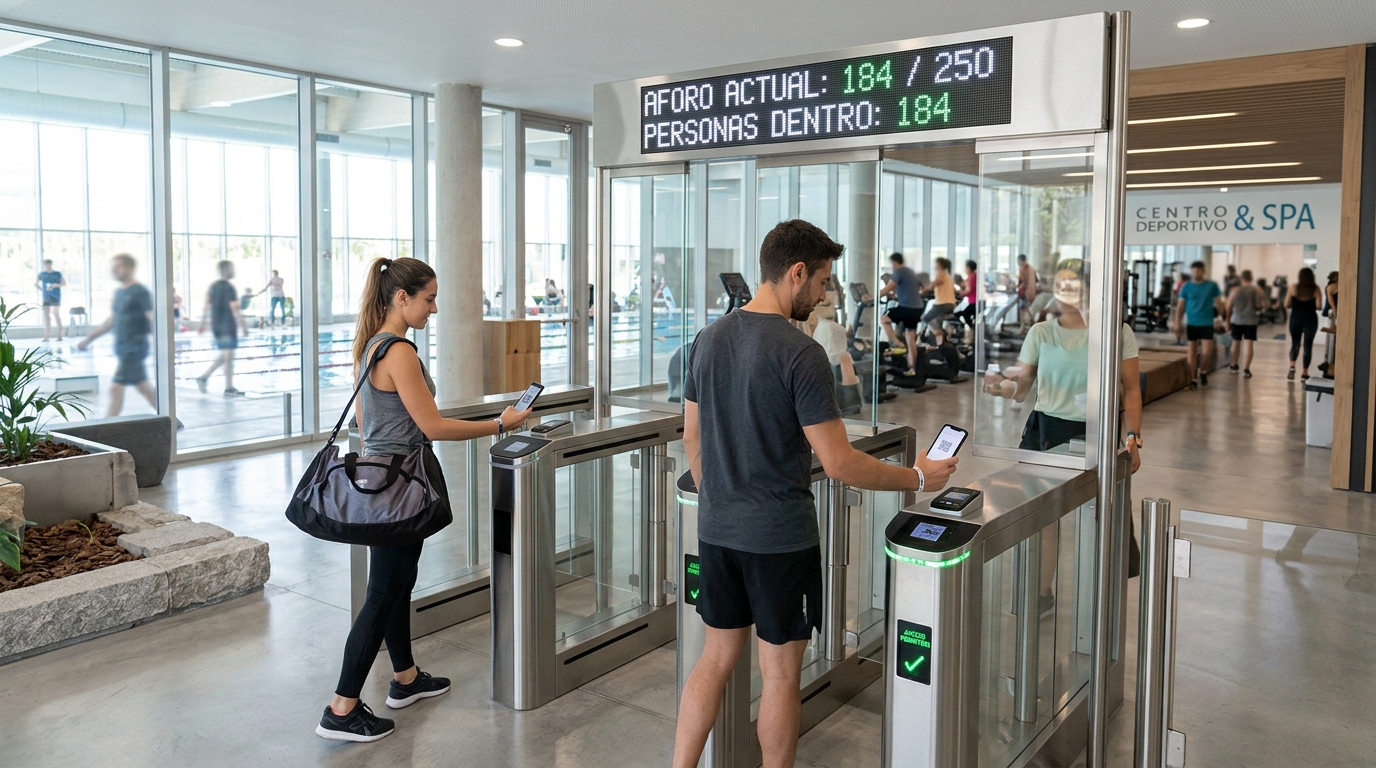
Knowing how to control capacity in an unstaffed gym is one of the biggest hurdles to scaling a fitness business. Requiring on-site staff at all times restricts operating hours, drives up fixed costs, and often prevents sports facilities from operating on a 24/7 model. However, access automation has evolved significantly, allowing you to manage user flow accurately, remotely, and friction-free for the client.
Key Takeaways
- Automating access allows you to operate 24/7 without multiplying staffing costs.
- True capacity control requires systems that accurately track both entries and exits.
- Integrating access control with management software prevents billing issues and unauthorized access.
The Challenge of Managing Capacity Without a Front Desk
Running a sports facility without reception staff presents unique challenges. It is not just about unlocking the door; it is about knowing how many people are inside at any given moment. Safety regulations and member comfort require that facilities do not exceed their maximum capacity. Furthermore, leaving a gym unsupervised significantly increases the risk of members letting in unauthorized guests.
Addressing this requires more than just a basic keypad lock or magnetic card reader. It requires advanced access control that offers real-time visibility. This means the system must identify the user, log the exact entry time, verify active membership status within the management software, and, crucially, record their access to keep the venue's overall occupancy count up to date.
The Problem with Keycards
Physical RFID keycards are easy to pass along to friends. Using mobile credentials tied to a personal smartphone drastically reduces this type of fraud.
Integrating Access Control with Management Software (CRM)
Capacity control loses its value if it is not synchronized in real time with customer account status. Full automation requires the access system to "talk" directly to the gym management software (CRM). This integration ensures doors only unlock under strict conditions, eliminating the need to manually activate or revoke permissions.
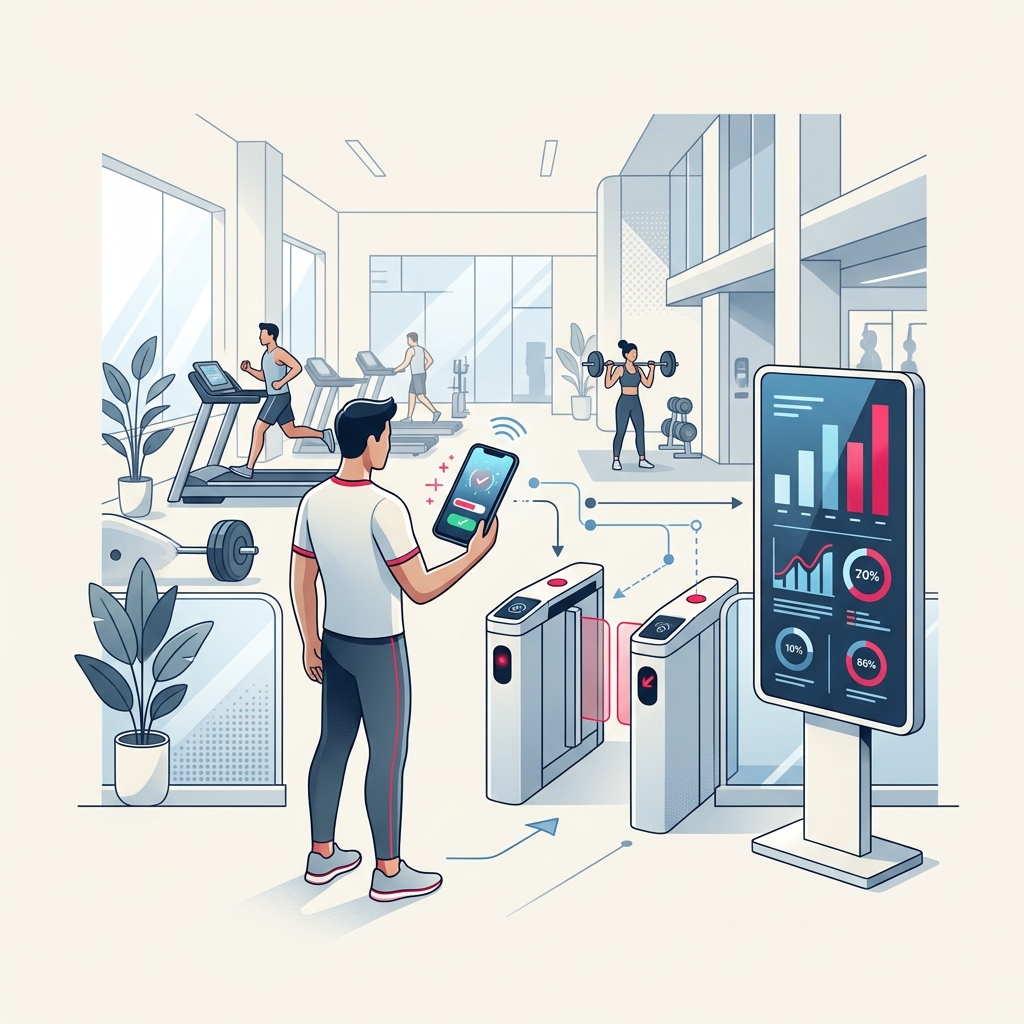
This communication typically runs via API integrations. When a user attempts to enter, the reader sends a request to the CRM, which checks within milliseconds whether the membership is active, payments are up to date, and current capacity allows another entry. If all requirements are met, the door or turnstile unlocks.
- User interaction. The member presents their app, fingerprint, or code to the entrance reader.
- Real-time verification. The system queries the database to confirm payment status and current facility capacity.
- Access granted or denied. The turnstile or door unlocks if everything is valid, logging the entry timestamp.
How Real-Time Capacity Tracking Enhances Customer Experience
Displaying live occupancy levels is not just about regulatory compliance; it is a powerful tool for customer retention. Members place a high value on their time. If your access control integration displays current occupancy directly in the gym's mobile app, clients can choose the optimal time to work out.
This distributes user traffic more evenly throughout the day. By smoothing out peak hours—where machines are tied up and locker rooms are overcrowded—overall satisfaction climbs. In addition, for 24-hour operations, seeing low occupancy late at night offers peace of mind to members who prefer training during quiet, off-peak hours.
Implementing the Right Locks and Physical Barriers
Automating a gym typically demands heavy-duty hardware built for high-traffic environments. For exterior main entry doors, heavy-duty electric strikes or electromagnetic locks paired with Raixer Pro systems are recommended, as they can be wired directly into electrical panels to handle heavy loads and ensure dependable locking. For interior turnstiles or speed gates, dry contact relays cleanly trigger the opening signal.
It is equally critical to plan for secondary access points such as locker rooms, group fitness studios, or spa areas, where capacity must be controlled independently. In these scenarios, compact controllers can manage specific doors, ensuring only members with the appropriate premium tier enter restricted spaces. Magnetic door status sensors should also be installed to monitor and alert if doors are accidentally propped open.
The key to running a profitable 24/7 gym is not eliminating staff entirely, but reallocating them where they add real value while letting technology manage entry flows.
Handling Incidents and Remote Openings
Even in the most sophisticated automated setup, unexpected events occur: a new member needing guidance, a visitor whose app fails to load, or maintenance technicians requiring off-hours access. Gym managers need the ability to resolve these issues instantly from anywhere without traveling to the facility.
Cloud-based access solutions enable real-time remote opening via an admin dashboard or mobile app. When combined with an intercom or smart video doorbell at the entrance, managers can greet the visitor, visually confirm their identity, and unlock the door with a single tap on their phone. This ensures that operating without a physical reception desk never leads to poor customer service or frustrated members locked outside.
Remote Unlocking
Ensure your access control platform supports manual remote unlocking and live activity audit logs to handle incidents with complete visibility.
Frequently Asked Questions
Is gym capacity control legally required?
Local regulations generally require public assembly venues to remain within legal maximum capacity limits for fire safety and emergency evacuation purposes. An automated tracking system ensures continuous compliance without depending on human monitoring.
What happens if the internet goes down or there is a power outage?
Professional access control systems typically include battery backup units (UPS) to stay operational during brief power interruptions. Furthermore, many readers store recent access permissions in a local cache, continuing to validate entries via Bluetooth (BLE) or RFID cards even during temporary internet outages.
How do I stop two people from entering on a single credential?
Access software alone cannot prevent tailgating; you need physical barriers (such as turnstiles or airlock mantrap doors) paired with security cameras or overhead people-counting sensors that detect multiple entries and flag an alert in your management software.
Can I automate access control if my gym is already up and running?
Yes. Most modern systems are designed for easy retrofitting. Access controllers can be integrated with existing turnstiles, electric strikes, or magnetic locks, connecting via API to the CRM software you already use to manage memberships.