Community Managers' Guide: How to Manage Access and Improve Security
Enhance community security and access control with smart lock solutions. Discover how to manage access efficiently for residents, visitors, and staff. Read our guide for best practices!
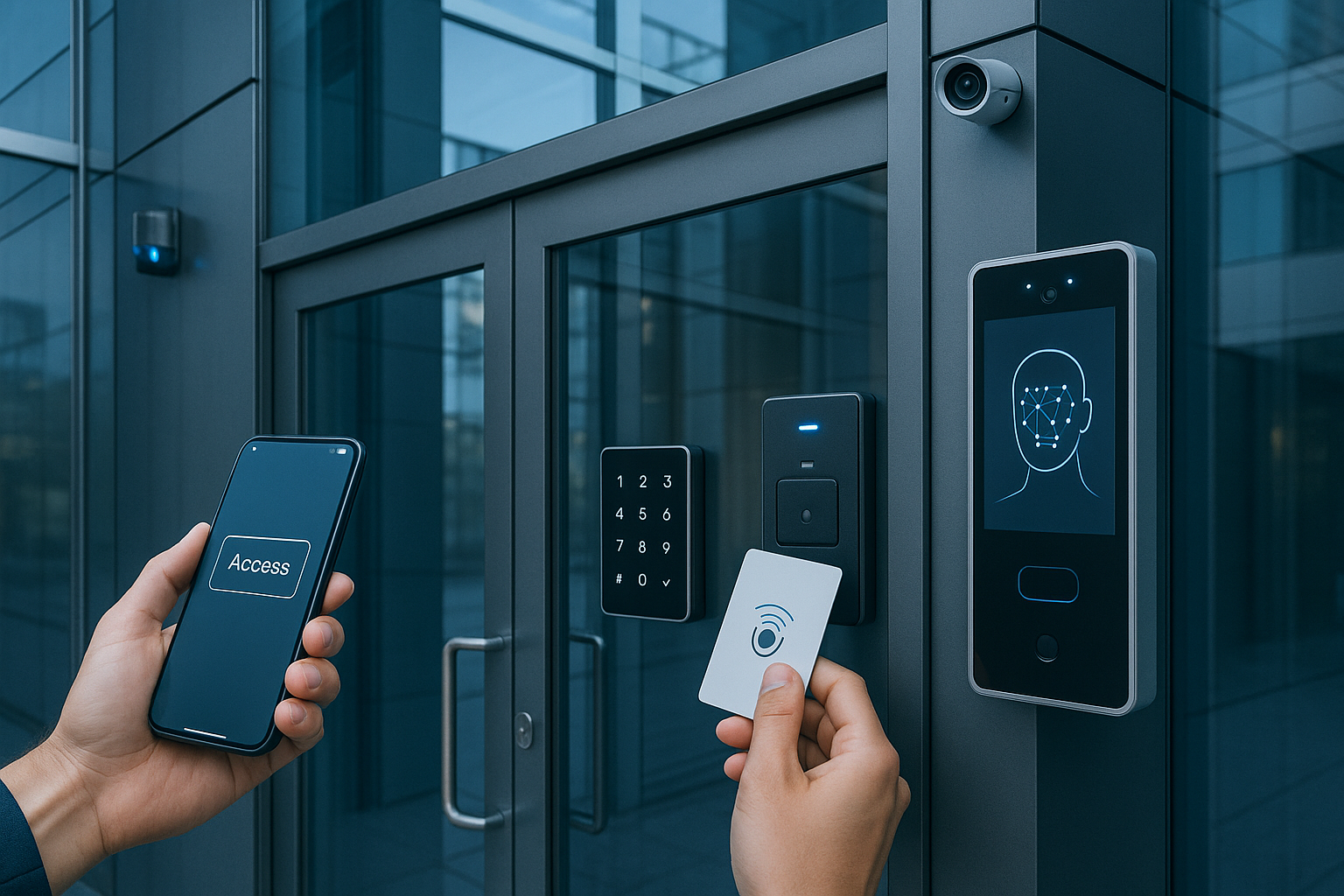
Access management is one of the most important and complex tasks for any community manager. Maintaining efficient control over who enters and exits, facilitating mobility for residents, suppliers, and visitors, and at the same time ensuring the building's security is key for harmonious and safe coexistence.
With digitisation and technological advancements, traditional physical key systems are giving way to intelligent solutions that allow access to be managed more flexibly, securely, and practically. In this detailed guide, we explain how to implement and manage smart access in communities, the advantages they offer, and real examples so you can apply best practices in your building.
Why is good access management important in communities?
In a community, access not only affects security but also convenience and daily organisation. Some of the main problems that managers face with traditional systems are:
- Loss or unauthorised duplication of physical keys.
- Difficulty in controlling temporary access (visits, cleaning staff, maintenance).
- Problems with permission management when a resident or worker changes.
- Lack of traceability on who has accessed and when.
- Reliance on staff to open doors or manage access.
A well-managed access system avoids these problems, reduces risks, and improves the experience for all users.
Access control systems: available options
Before choosing a solution, it is essential to know the technological options available:
1. Traditional locks with physical keys
Classic systems, easy to install but with security and management limitations. They do not allow temporary access control or digital records.
2. Locks with RFID cards or key fobs
They allow doors to be opened using a card or key fob that can be programmed and revoked, improving management over physical keys. However, their management may require specific software and they do not always allow remote control.
3. Smart locks with multiple opening methods
They incorporate technologies such as PIN codes, mobile applications, NFC, remote control, integration with voice assistants, and proximity cards. They allow centralised management, quick assignment of permissions, and real-time monitoring.
Benefits of implementing a smart access system in your community
- Remote and centralised management: the manager can assign, modify, or revoke access from anywhere and in real-time.
- Temporary access: permissions can be created for visitors or suppliers limited to specific days and hours.
- Record and traceability: each opening is registered with date, time, and user, improving security and incident resolution.
- Greater convenience: residents can open doors with different methods (app, PIN, card), eliminating reliance on physical keys.
- Improved security: fewer physical key copies mean fewer risks of unauthorised access.
How to implement a smart access system: steps for managers
Step 1: Initial audit
Evaluate which doors or accesses in the building need to be digitised and what the priorities are. Consider main entrances, access to common areas, storage rooms, garages, and other sensitive areas.
Step 2: Definition of roles and permissions
Create profiles for different types of users: residents, cleaning staff, maintenance, suppliers, and visitors. Each group will have different permissions in terms of schedules and access.
Step 3: Selecting the right system
Look for solutions that allow varied opening methods (mobile app, PIN, card), remote management, and that adapt to existing doors to avoid costly construction work.
Step 4: Installation and configuration
Coordinate the installation with specialised technicians who ensure correct operation and network connection if necessary.
Step 5: Training and communication to residents
Inform all residents about the new system, its advantages, and how to use it. Provide manuals or explanatory videos to facilitate the transition.
Step 6: Monitoring and maintenance
Regularly review access logs, update permissions, and attend to any incidents. Preventive maintenance is key to avoiding failures and problems.
Practical example: community that improves security and reduces costs
Imagine a community of 50 residents where 50 copies of physical keys were previously managed for access doors and common areas. The manager had to deal with lost keys, unauthorised duplicates, and frequent lock changes.
By implementing a smart system, the manager assigned digital access via app and PIN, creating temporary permissions for cleaning staff and suppliers only during established hours. Main doors and common areas remained under remote control, with automatic alerts for unauthorised access.
As a result, the community reduced maintenance costs, improved security, and residents positively valued the convenience and modernisation of the building.
How Raixer adds value to access management in communities
Among the technological solutions available for access control, companies like Raixer stand out for offering systems that integrate multiple opening methods (PIN, NFC, mobile app, cards, remote control) in a centralised platform. This allows managers to easily manage access from anywhere, assign temporary permissions, and receive real-time notifications for each opening.
Raixer also offers constant technical support and remote updates that guarantee optimal operation without the need for complex physical interventions. Its system is designed to adapt to residential communities as well as co-working spaces, hybrid offices, or tourist accommodation, making it a versatile and scalable option for different needs.
Best practices for maintaining security after implementing a smart system
- Frequently update permissions: revoke access for users who no longer need to enter (e.g., former tenants, maintenance personnel).
- Use combined opening methods: offering several options (app + PIN + card) helps prevent lockouts and facilitates access for different profiles.
- Monitor suspicious access: review alerts and logs to detect attempts to open outside hours or by unauthorised users.
- Communicate incidents quickly: in case of any problem, inform residents and suppliers to maintain trust in the system.
- Plan preventive maintenance: check batteries, connections, and device firmware to avoid unexpected failures.
The digitisation of access control in communities is a growing necessity that offers multiple benefits: increased security, convenience for users, cost reduction, and better management for administrators.
Implementing a smart system requires planning, training, and follow-up, but the results in terms of peace of mind and efficiency justify the investment.
If you are a community manager, consider making the leap to a digital access system. Not only will you modernise your building, but you will also be offering your residents a safer and more convenient experience in their daily lives.