How to register your Tourist Apartment with the Ministry of Interior (SES.HOSPEDAJES)
Learn how to register your tourist apartment with the Ministry of Interior's SES.HOSPEDAJES platform. Integrate with Raixer Check-in for automated guest reporting. Get started today!
Unlike previous registrations with the different State security forces, which had to be done in person, the Ministry of Interior now allows tourist accommodation to be registered telematically through the SES.HOSPEDAJES platform.
Below, we explain how to complete this registration and how to integrate the information into Raixer Check-in, which will allow you to automatically send guest reports to the Ministry.
Prerequisites for Registration in SES.HOSPEDAJES
Before starting the registration process, make sure you have the following:
Digital Certificate or DNIe: It is essential to have a digital certificate or DNIe to access the SES.HOSPEDAJES platform. If you do not have one, you can obtain it through the corresponding official website.
Autofirm@: Install the Autofirm@ software on your computer. This program is necessary to digitally sign the registration application for the establishment.
Steps to Register your Establishment in SES.HOSPEDAJES
Follow these steps to register your accommodation on the Ministry's platform:
1. Access to Registration
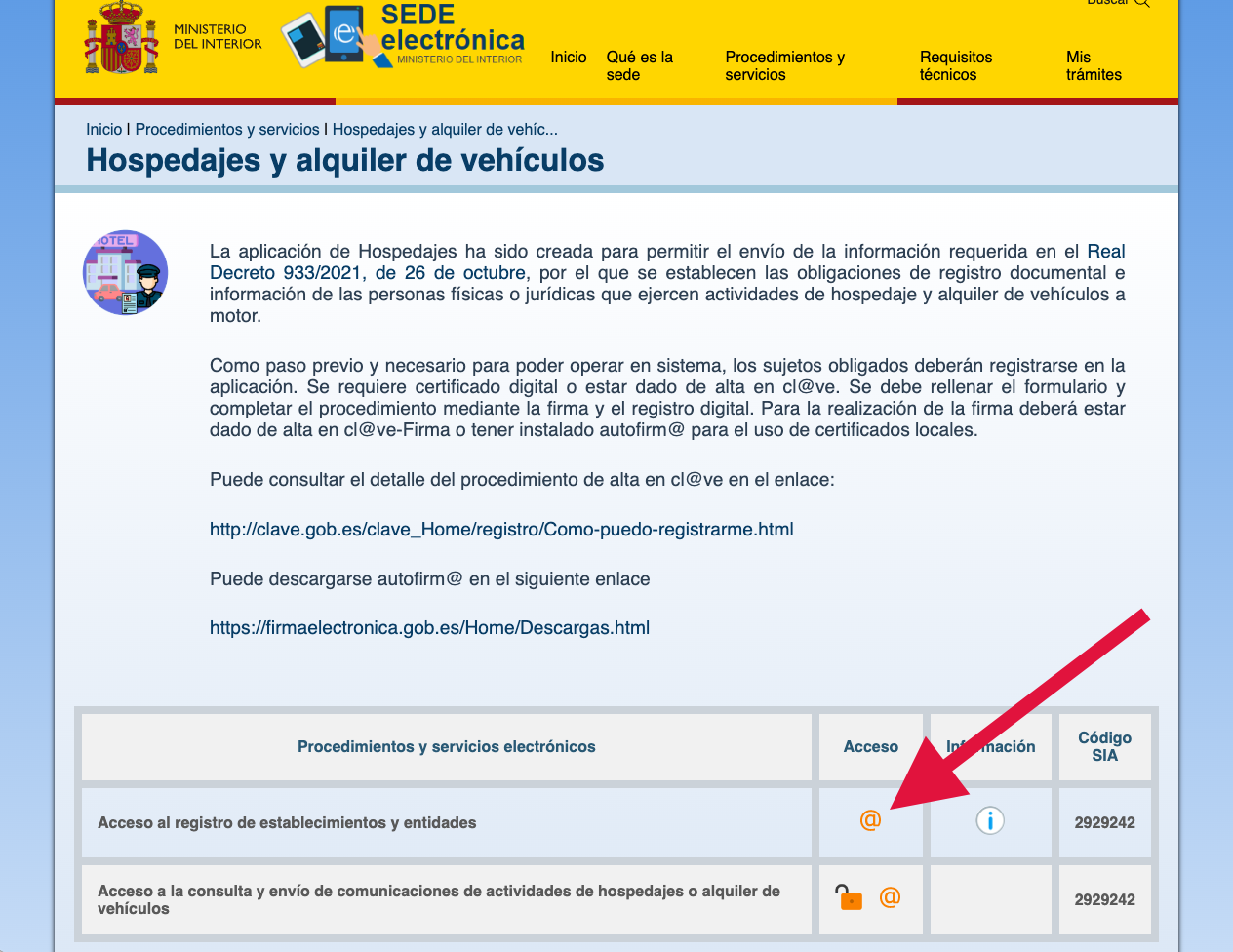
To start the process, access the platform via the following link and click on the “@” within the Access column.
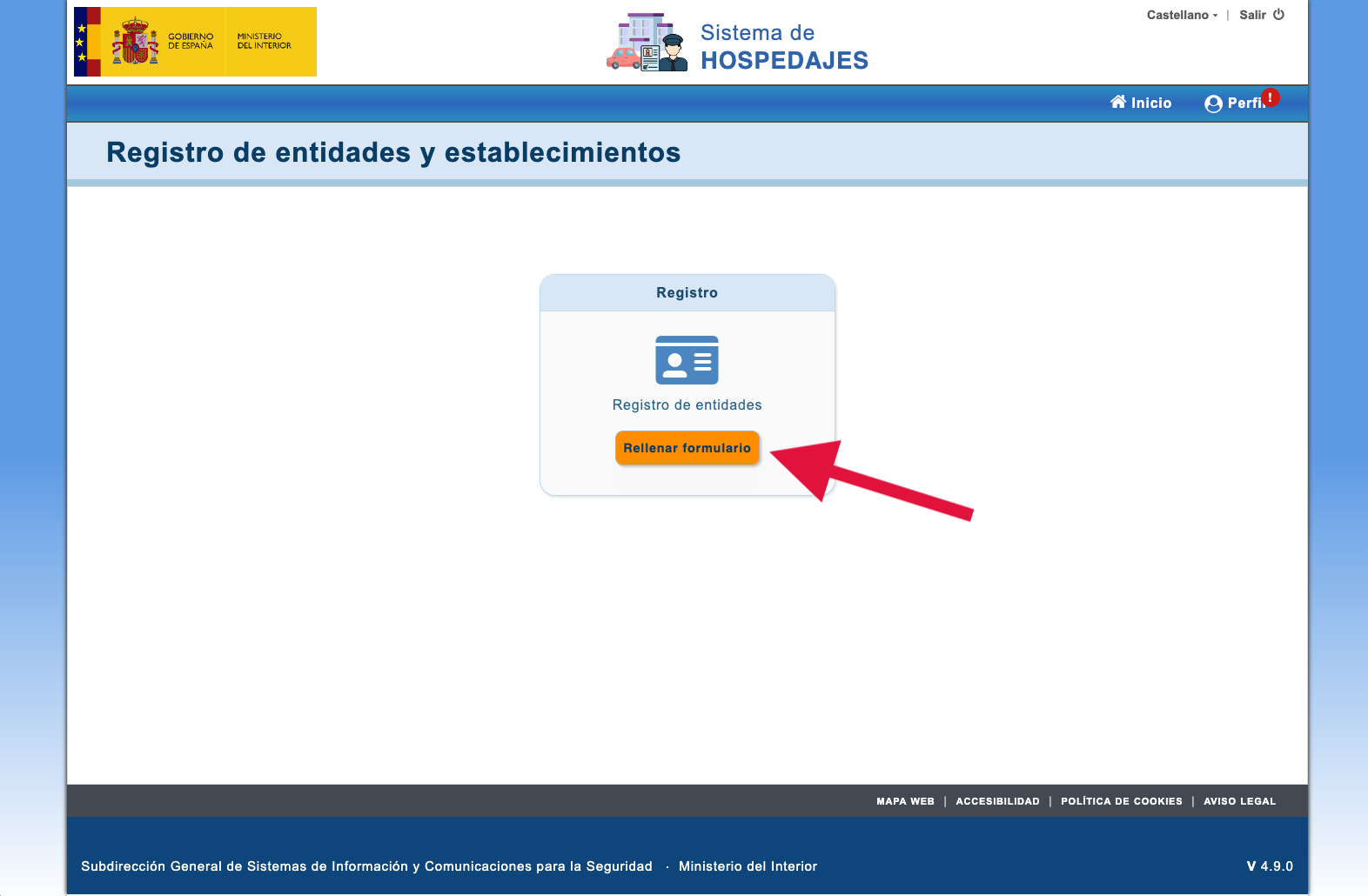
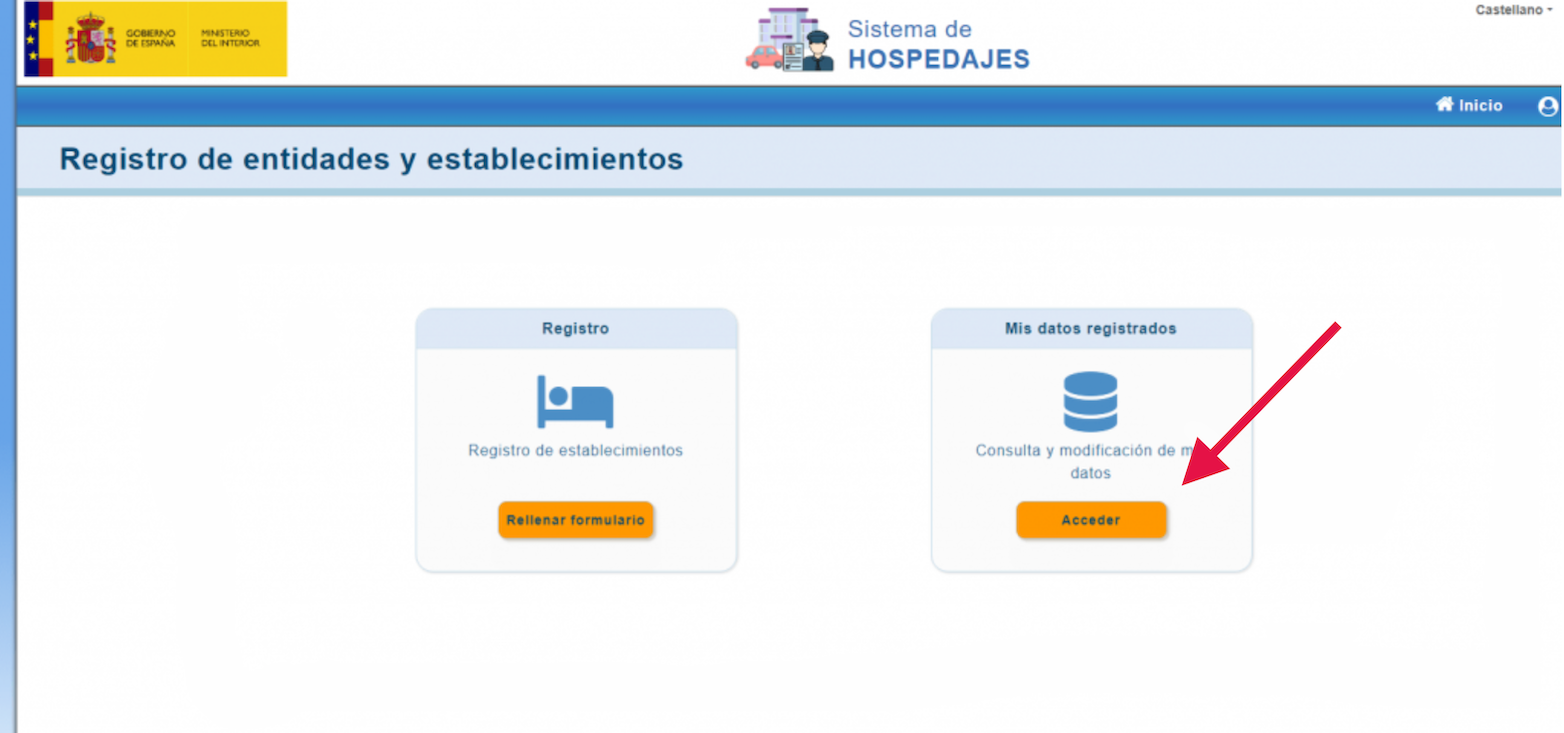
Once authenticated with your digital certificate or DNIe, you can access SES.HOSPEDAJES. In the Registro section, you can register your establishment by entering the requested information, such as address, accommodation name, email, among others.
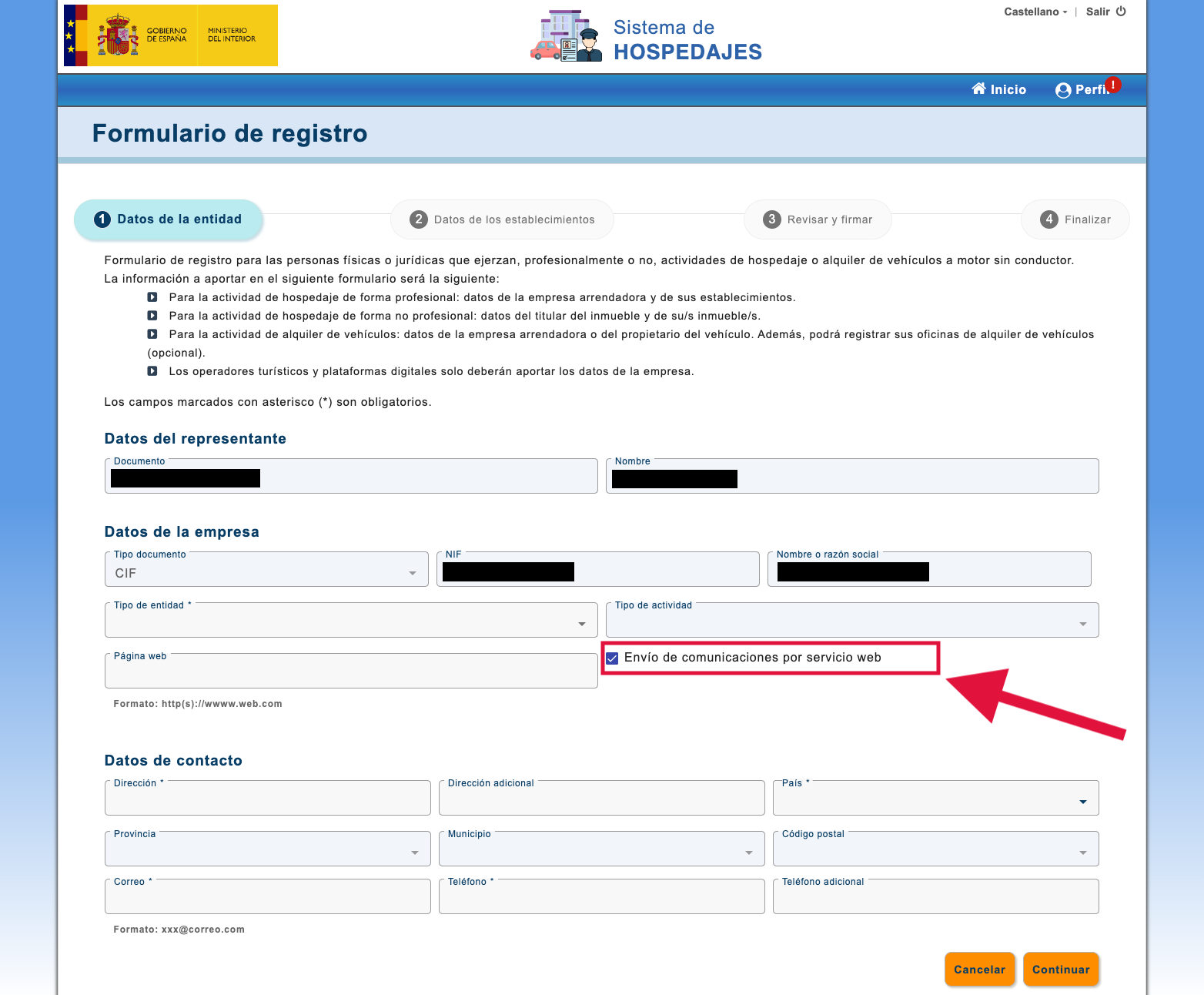
Important: When completing the registration, check the box “Envío de comunicación por servicio web” (Web service communication). This will allow Raixer Check-in to automate the sending of guest and reservation data to SES.HOSPEDAJES.
2. Editing and Modifying Data in SES.HOSPEDAJES
If you have already registered the establishment but forgot to activate “Envío de comunicación por servicio web”, you can correct it in the Mis datos registrados (My registered data) section, where you can edit the accommodation settings.
3. Confirmation of Registration and Essential Data
Upon completing the registration, you will receive an email from SES.HOSPEDAJES with the subject ”[Hospedajes] Notificación de registro” (Registration Notification). It is essential to save this information, as it contains the data needed to configure your accommodation in Raixer Check-in:
- Lessor code
- Establishment code
- User for web service communications
- Password for web service communications
4. Registration in Raixer Check-in for Ministry notification
Once the process in SES.HOSPEDAJES is completed, go to the Raixer Check-in control panel in the app and register your establishment following these steps:
If it is a new accommodation:
White bars in the upper left corner > CheckIn > Use without device
If the accommodation is already registered:
Enter the device or CheckIn > CheckIn > Edit icon
Important note: If the accommodation is already in Raixer Check-in, edit it instead of creating it from scratch so as not to lose the active subscription.
5. Data needed in Raixer Check-in
During configuration, select “Ministerio” (Ministry) in the ”Policía” (Police) option and enter the following data extracted from SES.HOSPEDAJES:
- Lessor code (available in “Mis datos registrados” (My registered data) on the Ministry's website).
- Establishment code (visible in “Lista de establecimientos” (List of establishments) within SES.HOSPEDAJES).
- Username and password (received in the Ministry's confirmation email).
With this process completed, your establishment will be correctly registered and enabled to automatically send guest and reservation reports to SES.HOSPEDAJES according to current regulations.