24/7 Coworkings: How to Automate Entry and Exit Without Staff
Boost coworking flexibility & security with automated 24/7 access control. Discover smart lock solutions to optimize management & enhance member experience today!
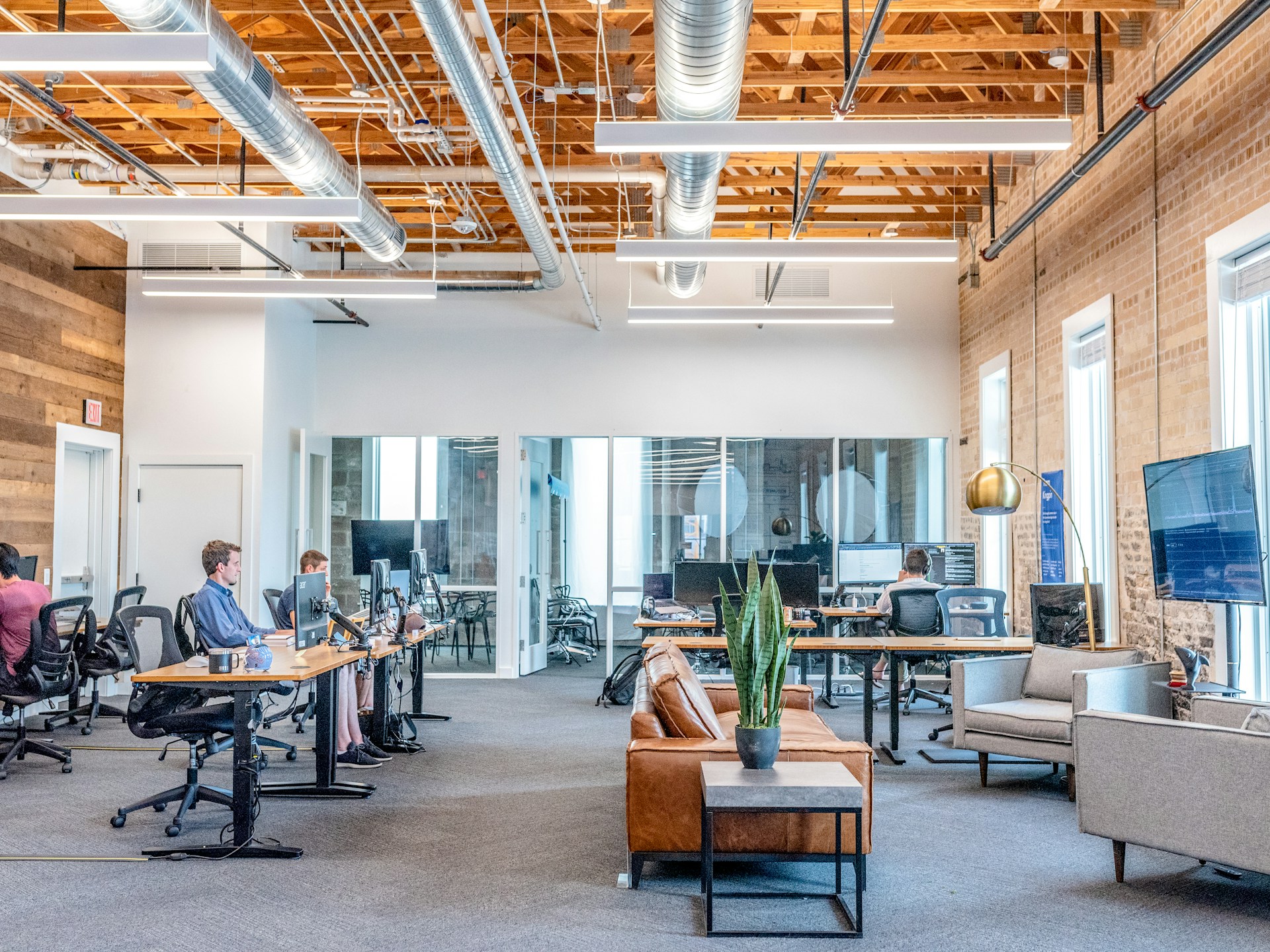
The rise of coworking spaces has transformed how businesses and independent professionals access their workplaces. The demand for flexible offices and 24/7 accessibility has created a key challenge for managers: ensuring security and control without the need for staff present 24 hours a day. Fortunately, smart lock and access control system technology allows for automating entries and exits, optimizing management, and enhancing the member experience. In this article, we'll explore how to implement these solutions practically and efficiently.
1. Why Coworkings Need Automated 24/7 Access
Modern coworking spaces aim to offer complete flexibility to their members: working early hours, late, or even on weekends. This means that traditional management with a receptionist or doorman is no longer viable, as continuous presence cannot be guaranteed without increasing costs.
Problems faced by managers include:
- Unauthorized access: without digital control, anyone could enter restricted areas.
- Difficulty monitoring schedules: controlling who enters and exits is complicated if physical keys are used.
- Visitor and vendor management: external teams require temporary permissions that are difficult to coordinate manually.
Automating access not only solves these problems but also:
- Reduces operational costs.
- Enhances the member experience.
- Facilitates security audits and access logs.
2. Automated Access Methods for Coworkings
For a 24/7 coworking space, it is crucial to have multiple opening methods to adapt to different users and situations. The most effective solutions include:
2.1 Smart Locks
These locks allow remote control via apps, temporary codes, proximity cards, or even biometric recognition. The advantages are:
- They allow for creating personalized permissions by member, time, or zone.
- They facilitate instant access changes without needing to hand out physical keys.
- They integrate with coworking management systems to automate entries and exits.
Practical example: a member with a night coworking package can receive a code valid from 10:00 PM to 6:00 AM, which automatically deactivates at the end of the shift.
2.2 Mobile Applications
Coworking apps allow for:
- Opening doors directly from the phone.
- Automatically recording entries and exits.
- Receiving notifications of unusual access.
This system eliminates the need for physical keys and facilitates real-time control, even when the manager is away from the building.
2.3 Temporary PIN Codes
Temporary codes are ideal for:
- Vendors, cleaning staff, or visitors who require time-limited access.
- Automatically changing codes to maintain constant security.
An example would be generating a code for a maintenance technician valid only during a 2-hour window, preventing risks of duplication or subsequent access.
2.4 Proximity Cards and NFC
Cards and NFC devices allow for:
- Fast, contactless entry.
- Integration with attendance and time tracking systems.
- Configuration of permissions by zone, time, or user type.
Combined with apps and smart locks, they form a complete access control ecosystem.
3. How to Plan Access Automation
For a coworking space to operate 24/7 without staff, careful planning of implementation is required. Key steps include:
3.1 Analyze User Flows
- Identify who needs access: members, vendors, visitors.
- Determine most frequent usage hours.
- Establish restricted zones (private rooms, server room, archives).
This analysis allows for configuring differentiated permissions and avoiding security issues.
3.2 Choose Compatible Technology
- Select smart locks that support multiple opening methods.
- Verify that the system can integrate with coworking management software, mobile apps, and monitoring systems.
- Ensure it allows for remote updates and activity logs.
3.3 Implement Tiered Permissions
- Create user profiles based on membership type.
- Configure temporary codes for visitors and external personnel.
- Define alerts for unauthorized access or failed attempts.
This ensures that only the right people can enter specific areas at specific times.
3.4 Pilot Test
Before fully opening the system:
- Test functionality with a small group of members.
- Validate integrations with apps and management systems.
- Adjust permissions and timings based on feedback.
A pilot test prevents security failures or operational inconveniences.
4. Integration with Coworking Management Systems
A key aspect for managers is that automation not only controls access but also simplifies daily management. Some functionalities include:
- Booking of rooms and common areas linked with access permissions.
- Real-time attendance and occupancy monitoring.
- Entry and exit history for audits or incidents.
- Automatic notifications for unusual access.
For example, if a member reserves a meeting room at 7:00 PM, the system can generate a temporary code for them to access only that room at that time.
5. Security and Risk Prevention
Although automated access reduces the need for staff, security remains crucial:
- Dynamic and temporary codes: prevent an old code from continuing to work.
- Real-time alerts: automatic notifications for failed access attempts.
- Remote monitoring: allows the manager to view activity without being physically in the coworking space.
- Protected critical areas: such as server rooms or archive areas, with special permissions and detailed records.
6. User Experience and Satisfaction
Members especially value:
- 24/7 Flexibility: being able to enter and exit whenever they need.
- Simplicity and speed: opening doors from their mobile or card without complications.
- Security and trust: knowing that the coworking space is secure even without staff at reception.
A well-implemented automated system increases member satisfaction, reduces complaints, and creates a differential value compared to other coworking spaces.
7. Practical Examples of Implementation
- Urban Coworking with 200 Members:
- Smart locks on all entrances and private rooms.
- Mobile app to open doors and manage room bookings.
- Temporary codes for vendors and cleaning outside office hours.
- Small Flexible-Hours Coworking:
- NFC cards for members and visitors.
- Integration with membership management software.
- Automatic alerts for unauthorized access or attempted card duplication.
- Hybrid Space with Coworking Areas and Private Offices:
- Differentiated access by zone: coworking, private offices, coffee area.
- Entry history for audits and security.
- Ability to generate temporary codes from mobile in real-time.
These examples show how automation reduces costs, improves security, and optimizes the member experience.
8. Benefits for Managers
- Cost reduction: less need for 24/7 staff.
- Greater control: complete records of entries and exits.
- Flexibility: ability to offer access at any time without compromising security.
- Scalability: adding new members or zones is simple, without changing infrastructure.
- Customer satisfaction: happy and loyal members thanks to convenience and security.
Automating entry and exit in 24/7 coworking spaces isn't just a trend: it's a necessity for modern, flexible, and secure spaces. Thanks to smart locks, mobile apps, temporary codes, and integrated systems, managers can optimize operations, ensure security, and offer a superior user experience without relying on onsite staff.
The key lies in planning the implementation, choosing the right technology, and continuously monitoring access. With these steps, any coworking space can operate efficiently and securely, offering its members the freedom and flexibility they demand in today's work world.