Nuki Keypad: Keyless Access for Nuki Smart Locks
Discover the Nuki Keypad, the perfect numerical access solution for your Nuki Smart Lock. Ideal for tourist accommodations and offices, it offers security and convenience without keys. Optimize your access management!
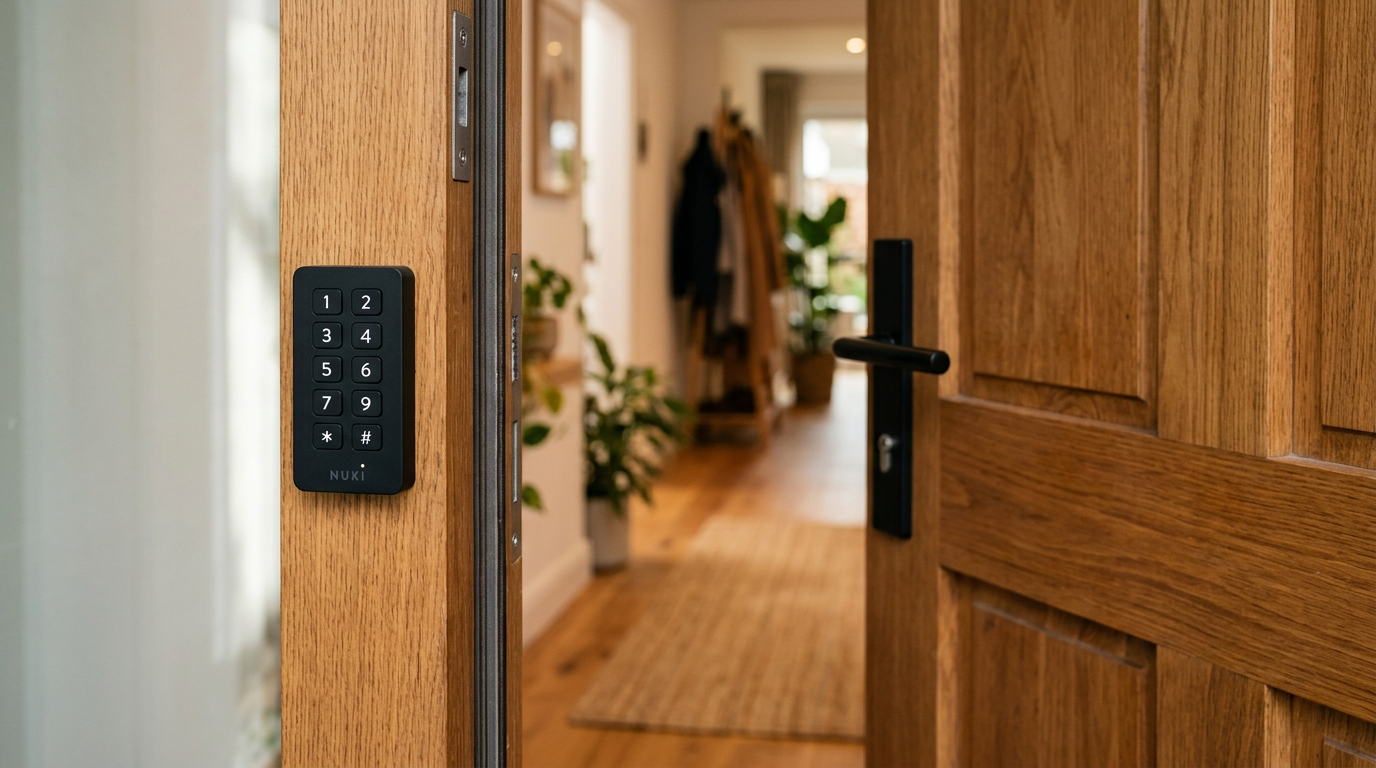
In the dynamic sector of access management, where security and convenience are paramount, the Nuki Keypad emerges as a robust and versatile solution. This complementary device to Nuki smart locks, designed to offer an additional layer of flexibility, allows users, guests, and service personnel to access a property by entering a numerical code. At Raixer, we understand the importance of reliable and efficient access solutions, which is why we thoroughly analyze technologies such as the Nuki Keypad, evaluating its suitability for various scenarios, from holiday homes to offices and residential communities.
The essentials
- The Nuki Keypad enables keyless access via numerical codes.
- It works in conjunction with Nuki smart locks, expanding entry options.
- It is ideal for vacation rentals, offices, and property management due to its flexibility and security.
- It offers simple installation and remote management via the Nuki app.
What is the Nuki Keypad and how does it work?
The Nuki Keypad is a wireless numerical keypad designed to work in conjunction with Nuki Smart Locks (versions 2.0, 3.0, and Pro). Its main purpose is to allow users to unlock the door by entering a 6-digit access code, eliminating the need for physical keys, smartphones, or even a Nuki Fob. This level of flexibility is particularly valuable in environments where access is required for multiple people or in situations where smartphone use is not always feasible.
The device communicates with the Nuki Smart Lock via Bluetooth Low Energy (BLE), a wireless communication protocol known for its low power consumption and reliability over short distances. This means the Keypad does not need an internet connection to function, making it very robust against network failures. The Smart Lock, in turn, is the one that executes the action of opening or closing the door.
Improved Experience
Offering code-based access is not only convenient but also projects a modern and efficient image of property management, which is positively valued by end-users.
Advantages and disadvantages of the Nuki Keypad
Like any technology, the Nuki Keypad presents a set of pros and cons that must be evaluated based on the specific needs of each installation.
Advantages
- Keyless convenience Quick access without the need for a smartphone or physical keys.
- Remote code management Creation and revocation of codes from anywhere via the Nuki app.
- Versatility Ideal for guests, service personnel, neighbors, or employees.
- Security Unique access codes and encrypted communications.
- Simple installation Quick setup with no construction work or complex wiring.
- Access history The Smart Lock records opening events, including those performed with the Keypad (requires Nuki Bridge for remote access to history).
Disadvantages
- Nuki Smart Lock dependence: Does not function as a standalone system.
- Batteries: Requires periodic battery replacement, although battery life is usually long.
- Forgotten codes: Users must remember their code, although this is less problematic than forgetting a physical key.
- Exposure: As an external device, it is more exposed to weather factors and potential vandalism than a purely internal lock.
The Nuki Keypad transforms entry to your property into a fluid and secure experience, adapting to the needs of modern life and access management.
Nuki Keypad installation and setup
One of the Nuki Keypad's strengths is its ease of installation, making it an attractive option for many users seeking a hassle-free access solution.
- Preparation. Make sure you have a Nuki Smart Lock already installed and configured, and the batteries included with the Keypad.
- Mounting. The Nuki Keypad can be mounted in two ways: using double-sided adhesive tape (for a drill-free and quick installation) or by screwing it to the wall or door frame for greater security and fastening. It is recommended to place it at a comfortable height and close to the lock, within Bluetooth range.
- Pairing. Open the Nuki app, go to your Smart Lock settings, and select the option to add a new device. Follow the steps to pair the Keypad with your Smart Lock via Bluetooth.
- Code creation. Once paired, you can start creating personalized access codes for different users through the Nuki app. Assign a name to each code for easier management.
- Test. Check that the Keypad works correctly by entering one of the created codes to open the door.
Nuki Keypad vs. other access solutions
In the access control systems market, the Nuki Keypad competes and complements various technologies. Understanding where it fits can help property managers make informed decisions.
Comparison with Nuki Fob
While the Nuki Fob is a small Bluetooth remote to open the lock, the Keypad offers a touchless solution that doesn't require the user to carry anything. The Fob is useful for children or people who prefer not to use a smartphone, while the Keypad is ideal for multiple users or temporary access.
Comparison with smartphone access
Nuki's primary access is through the mobile app. The Keypad complements this by offering an alternative in case the smartphone runs out of battery, is forgotten, or for users who do not have a smartphone (e.g., cleaning staff or children). It is a backup and an additional convenience.
Integration with broader ecosystems
While Nuki focuses on the lock and its accessories, at Raixer we offer comprehensive access control solutions that can include components similar to the Nuki Keypad but integrated into broader platforms, such as our systems for garages or developers. Raixer aims to offer options where multiple access methods (codes, RFID, BLE, NFC) and technologies like Alexa or Google Home are integrated, always with centralized and robust management. Although Nuki offers its Bridge for remote connection and compatibility with some voice assistants, Raixer's solutions are often designed for deeper integration and greater scalability in complex environments.
A Step Further with Raixer
While the Nuki Keypad is an excellent solution for punctual access, Raixer platforms like Raixer Pro or Raixer Mini offer more centralized access control and greater integration with property management systems (PMS) and advanced functionalities for complete management.
Security and maintenance considerations
Security is a fundamental aspect of any access system. The Nuki Keypad incorporates security measures, but it is also important for users and administrators to follow good practices.
Code security
It is recommended to generate unique and random codes for each user and avoid obvious patterns. The temporary and recurring code function helps limit a code's exposure over time. Communication between the Keypad and the Smart Lock is encrypted to prevent interception.
Maintenance
The main maintenance for the Nuki Keypad is replacing its batteries when the Nuki app indicates it. Battery life is considerable (often over a year) thanks to the use of BLE. It is advisable to periodically clean the Keypad surface to ensure proper button operation and legibility.
Monitoring
With the Nuki Bridge, it is possible to remotely access the Smart Lock's activity log, which includes accesses made with the Keypad. This provides valuable auditing for property management.
Conclusion
The Nuki Keypad is a highly effective and convenient keyless access solution that excellently complements the functionality of Nuki smart locks. Its ease of installation, robustness, and the ability to manage access codes remotely make it an attractive option for a wide variety of applications, from vacation rentals to offices and communities. It offers an additional layer of convenience and security, eliminating reliance on physical keys or smartphones for daily access.
At Raixer, we value these innovations that simplify our clients' lives. Although Nuki solutions offer a robust ecosystem, for projects requiring deeper integration, advanced management of multiple properties, or specific functionalities for sectors such as real estate or elder care, Raixer Pro and Raixer Mini provide scalable and customizable platforms that go beyond single-door control, offering unparalleled access management.
Frequently asked questions
Is it necessary to have the Nuki Bridge to use the Nuki Keypad?
No, the Nuki Keypad communicates directly with the Nuki Smart Lock via Bluetooth, so the Nuki Bridge is not strictly necessary for it to function. However, if you want to manage access codes remotely (outside the Bluetooth range of your Smart Lock) or view access history remotely, you will need the Nuki Bridge.
What happens if the Nuki Keypad's batteries run out?
If the Nuki Keypad's batteries run out, the device will stop working. The Nuki app will notify you in advance when the batteries are low so you can replace them. If they run out completely, you can always access the property with your physical key, your smartphone, or the Nuki Fob (if you have one).
Can I use the same code for multiple users or properties?
You can create unique codes for each user, which is the most secure option. It is also possible to create a master code for a specific Smart Lock. As for using the same code across multiple properties, each Nuki Keypad manages codes independently for the Smart Lock it is paired with.
Is the Nuki Keypad weather-resistant?
The Nuki Keypad is designed to withstand outdoor weather conditions, with splash protection. This makes it suitable for installation on the exterior of a door, provided it is not exposed to direct immersion or extreme and continuous weather conditions.
Is it possible to control the Nuki Keypad with voice assistants?
Not directly. The Nuki Keypad is an input device. Voice control (via assistants like Alexa or Google Home) is performed through the Nuki Smart Lock and the Nuki Bridge, which are the ones integrated with these systems, allowing commands like "Alexa, open the door" (always with the appropriate security configuration). The Keypad simply receives the code and transmits it to the Smart Lock.