Akiles app: Smart Access and Lock Management
Discover how Akiles app transforms access management with smart locks. Remote control, digital keys, and security for properties, offices, and tourist rentals. Optimise your access now!
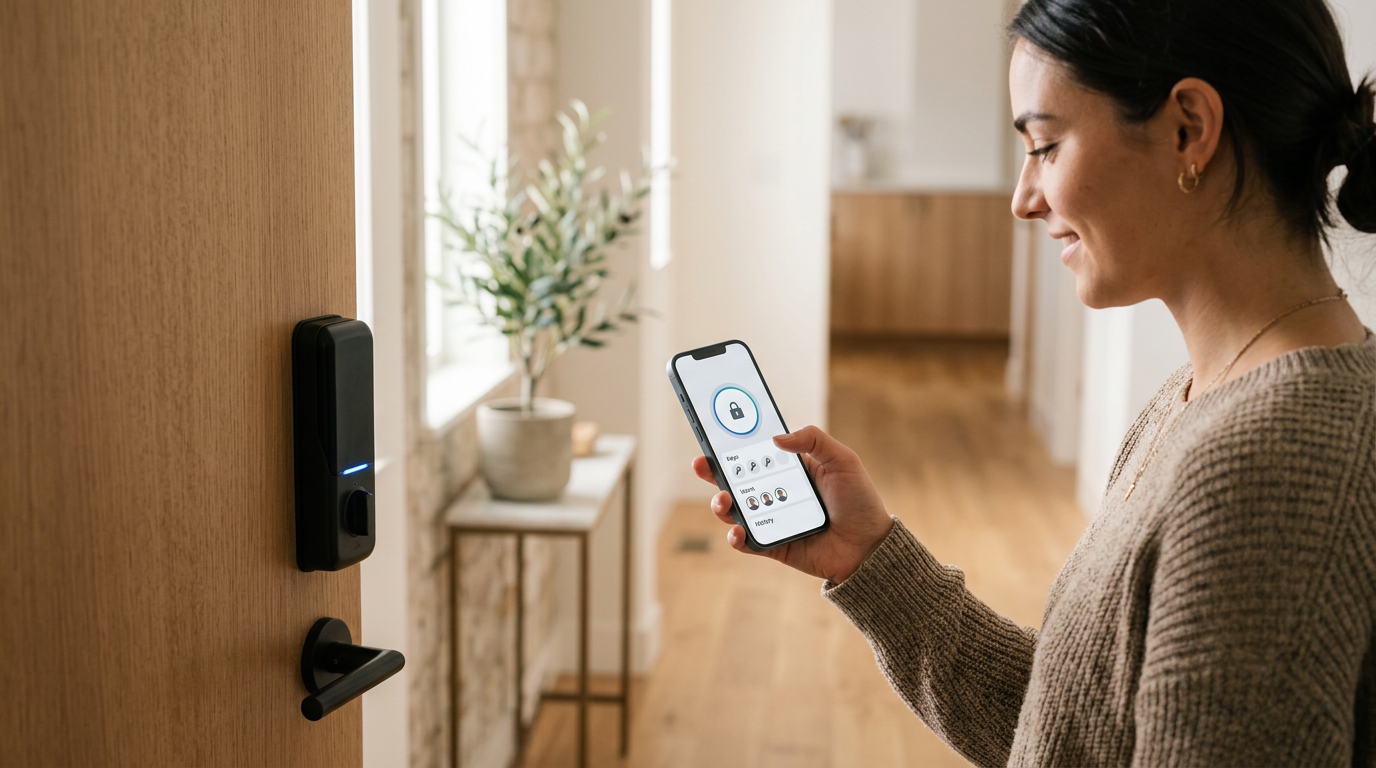
In the dynamic access management sector, innovation is a constant. Companies and individuals seek solutions that not only provide security, but also convenience, efficiency, and granular control over who, when, and how accesses their properties. In this context, mobile technology has emerged as a fundamental pillar, and applications like Akiles app have appeared to transform the way we interact with our spaces. This application is presented as a centralised interface for managing smart locks and access control systems, promising to simplify the lives of property managers, coworking managers, tourist rental hosts, and community owners.
The essentials
- Akiles app is a mobile platform for remote management of access and smart locks.
- It allows generating and revoking digital access permissions, ideal for tourist rentals and offices.
- It facilitates integration with compatible smart locks and improves the user experience.
What is Akiles app and how does it redefine access management?
Akiles app is a mobile application designed to function as a command centre for your smart access control systems. Its main purpose is to allow users to manage permissions, monitor entries and exits, and control locks remotely, all from the palm of their hand. This tool is especially valuable for environments where the flow of people is constant and varied, such as tourist apartments, shared offices, apartment buildings, or even industrial facilities.
The essence of Akiles app lies in its ability to digitise and centralise key management. Instead of relying on physical keys that can be lost, copied, or require complex logistics for their delivery and collection, Akiles app allows the creation and distribution of digital "keys". These keys are temporary codes, links, or permissions that are sent directly to users' smartphones, granting them access for a specific period.
Choose your lock wisely
When considering Akiles app, check the list of compatible locks and devices to ensure seamless and trouble-free integration. The choice of hardware is as important as the software.
Akiles app in different sectors
The versatility of the Akiles app makes it a powerful tool for a wide range of sectors, each with its own access control needs.
Holiday rentals (VUT and tourist apartments)
In the holiday rental sector, the app solves one of the biggest challenges: key handover and collection. Guests can receive an access code or a digital key on their smartphone before arrival, allowing for self check-in without the need for a physical meeting. This not only improves the guest experience but also optimises hosts' time and reduces logistics. Access can be programmed to activate and deactivate automatically according to booking dates. Locks such as specialised locks for tourist apartments integrate with these platforms to offer a complete solution.
Offices and Coworking spaces
For offices and coworking spaces, access management is fundamental. Akiles app allows administrators to grant access to employees, coworking members, or temporary visitors instantly. Access schedules can be defined for different groups (e.g., employees 24/7, visitors during business hours). The traceability of who enters and exits improves security and occupancy management. Additionally, the possibility of integrating access control systems for garages is also a plus.
Neighbourhood communities
In communities, the app offers a modern solution for managing entrances, common areas (swimming pool, gym, storage rooms), or even guest apartments. Residents can access their building with their mobile phone, and administrators can manage access for maintenance, cleaning, or delivery personnel temporarily and securely. This eliminates the need to duplicate keys or manage a large number of remote controls.
Hotels (Boutique and small establishments)
Although large hotels have proprietary systems, boutique hotels and smaller accommodations can greatly benefit from Akiles app. It allows offering mobile check-in, assigning digital keys to rooms, and managing access to common areas, all while maintaining a detailed record for security and daily operation.
Advantages of using Akiles app in property management
Adopting a solution like Akiles app brings a series of tangible benefits for any type of property:
- Increased security Instant revocation of lost or unwanted access, and auditable record of entries and exits.
- Reduction of operational costs Eliminates the need for physical key copies, locks, and the management of their delivery or collection.
- Flexibility and total control Access management from anywhere, anytime, adapting to changing needs.
- Improved user experience Convenient and frictionless access for guests, employees, or residents.
- Time optimisation Automation of check-in/check-out processes and permission management.
- Real-time monitoring Full visibility over door status and access activity.
The key to efficient property management lies in the balance between security, convenience, and control. Akiles app encapsulates this philosophy, transforming logistical challenges into opportunities.
Implementing a solution with Akiles app
Integrating Akiles app into your property is a process that requires planning, but it can be quite simple if the correct steps are followed.
- Needs assessment. Determine which doors need access control, what type of users you will have, and which functionalities are a priority (remote control, history, etc.).
- Selection of compatible hardware. Choose smart locks or access controllers that are compatible with Akiles app. Research options like Raixer Mini or Raixer Pro, which offer different functionalities depending on the type of door and use.
- Hardware installation. A certified installer or qualified technician must install the locks or controllers. Ensure they are correctly configured and connected to the network (Wi-Fi, Bluetooth Gateway, etc.).
- App configuration. Download Akiles app and follow the instructions to pair your devices. Create your first zones, user profiles, and assign initial permissions.
- User training. Familiarise key users (administrators, employees, guests) with how the application works and how to use their digital keys.
- Monitoring and optimisation. Observe system performance, review access logs, and adjust settings as needed to maximise security and efficiency.
Network considerations
Ensure you have a stable and secure network infrastructure (Wi-Fi, 4G/5G) at the location of your locks, especially if you plan to use remote control extensively.
Akiles app in the future of smart access
The landscape of smart access technology is constantly evolving. Akiles app, like other similar platforms, will likely continue to integrate new functionalities and technologies. Compatibility with standards like Matter, improved artificial intelligence for usage patterns, and deeper integration with property management systems (PMS) or CRM are the way forward. The ultimate goal is to create fully automated, predictive, and secure access ecosystems that adapt to the needs of an increasingly connected and dynamic world.
The adoption of solutions like Akiles app is not just a technological improvement, but an investment in operational efficiency, enhanced security, and a superior user experience. For property managers looking to stay ahead, evaluating and implementing these tools is a strategic step towards the future of access management.
Frequently asked questions
What type of locks are compatible with Akiles app?
Akiles app compatibility depends on its integration with specific manufacturers. Generally, it supports a variety of smart locks that use protocols such as Bluetooth, Wi-Fi, Zigbee, or Z-Wave. It is crucial to consult the official list of compatible devices provided by Akiles to ensure that your hardware will work correctly with the application.
Can I manage multiple properties from a single Akiles app account?
Yes, most access management platforms, including Akiles app, are designed to allow users to manage multiple properties, units, or buildings from a single centralised interface. This is especially useful for property managers with extensive portfolios of holiday rentals, offices, or neighbourhood communities.
What happens if I lose my phone or it runs out of battery?
In case you lose your phone or it runs out of battery, most smart locks compatible with Akiles app offer alternative access methods. These may include PIN codes on keypads, RFID or NFC cards, or even the possibility of a backup physical key. Additionally, an administrator can revoke access from the lost phone and grant new access to another device.
Is the connection between Akiles app and smart locks secure?
Security is a priority in these systems. Connections are usually encrypted (for example, with 128 or 256-bit AES encryption) to protect communication between the application and the lock. Furthermore, user authentication and permission management are designed to minimise risks. It is important to keep the application and the locks' firmware updated to ensure maximum security.
Do I need an internet connection to use Akiles app?
For remote management, such as assigning new permissions or opening a door from afar, you will need an internet connection (Wi-Fi or mobile data). However, many smart locks that connect via Bluetooth can be opened with the app even without an internet connection, provided you are within range of the lock and the digital key has already been downloaded and validated previously.